We build websites, web apps and mobile apps in Next.js, NestJS, Shopify and Flutter for businesses across India. Free 1-page audit, no obligation.
Get a free quote- Your Competitor's Website Is Beating Yours: The 20-Minute Teardown (2026)October 19, 2026
- How to Get Google Reviews for Your Business in India (2026)October 17, 2026
- Payment Gateway Rejected Your Website? 5 Pages to Add (2026)October 16, 2026
- How Clients Judge Your Business Name Before They Ever See Your WorkOctober 15, 2026
PHP Bug Puts WordPress Sites at Risk: The 10-Minute Check
On Tuesday evening the PHP team did something it almost never does. It pulled its release forward by a day and shipped an emergency patch for two bugs that let a complete stranger run their own code on your web server. No password. No login. No plugin involved. One request to your home page is the whole attack.
The pair has been nicknamed php2shell. If your business website runs WordPress, and most business websites in India do, this one is sitting underneath it right now. Not in your theme. Not in a plugin you installed in 2019 and forgot. In the engine that runs the whole thing.
I am going to be straight with you about what is known and what is not, because the panic version of this story is already doing the rounds on LinkedIn and half of it is wrong. Then I will give you the ten minute check, and the exact message to paste to your hosting company so you get a real answer instead of "sir your site is fully secure".
“Save this page before you start. You will want the checklist at the end again the next time somebody tells you a website does not need maintenance.”
What actually happened
PHP is the programming language that runs WordPress. It also runs Magento, Drupal, Joomla, most Laravel applications and a large share of the custom admin panels built in India over the last fifteen years. By most counts PHP sits behind somewhere around three quarters of all websites that run server-side code at all. That is the scale here, and that is why this story has gone from security newsletters to mainstream business press in two days.
On 21 October 2026 the PHP project released four patched versions and published an advisory covering two separate flaws:
- CVE-2026-109618, a memory handling flaw, rated 9.2 out of 10 on the CVSS v4.0 scale by PHP's own security team.
- CVE-2026-109619, a flaw in how PHP tracks the progress of a file upload inside a session, also rated 9.2.
The fixed releases are PHP 8.5.12, 8.4.27, 8.3.36 and 8.2.35. Everything below those numbers is affected, and that goes back a very long way. The vulnerable code has been in PHP for over a decade, which means versions all the way back to PHP 5.4 are in scope.
The flaws were found by researchers at Wiz, an independent researcher who goes by Calif, and OpenAI's Codex security team, working with the PHP security team and Google's Gemini team. A core developer had actually noticed signs of the first bug during PHP's external audit in 2024, but nobody found a working route to an attack at the time and the fix then stalled for months. The PHP Foundation has publicly called that delay a structural failure in how it makes decisions, which is an unusually honest thing for a project to say about itself.
Why updating WordPress does not help
This is the part people are getting wrong, so read it twice. The bug is not in WordPress. WordPress.org has said there is no WordPress update coming for this, because there is nothing in WordPress to fix.
Think of it like a building. WordPress is your office on the fourth floor. PHP is the lift, the wiring and the water supply for the whole building. You can fit the best lock money can buy on your own door, and it does nothing about a fault in the building's electrical system. The landlord has to fix that one. In this analogy your landlord is your hosting company, or whoever set up your server.
So all of the following are good practice and none of them close this hole:
- Updating WordPress core to the latest version.
- Updating every plugin and theme.
- Installing Wordfence, Sucuri, iThemes or any other security plugin. Security plugins are PHP code. They load after the vulnerable code has already run.
- Changing your admin password to something longer.
- Switching your login URL from /wp-admin to something else.
The only real fix is a newer PHP version on the server. Everything else on this page is a stopgap to buy you time until that happens.
How bad is it, honestly
Here is where I will not oversell it, because you are going to be sold this story at least five more times this week by people who want to put an invoice at the end of it.
What is confirmed
- The flaws are real, the ratings come from PHP's own team, and the patches exist.
- Attack traffic has started. Cloudflare turned firewall rules on by default on 21 October at 03:02 UTC, before the patch even shipped, and has since reported attackers changing their payloads to get around those rules. The security firm watchTowr reported active exploitation attempts the same afternoon. Amazon's threat intelligence team says it saw an attempt on 17 October, four days before any of this was public.
- Beyond running code, the first flaw can let an attacker read the memory of your PHP worker processes. That matters because that memory holds pieces of other people's requests: passwords being submitted, session tokens, API keys, payment gateway credentials. An attacker can read those without ever getting a shell.
What is not confirmed
- As of writing, no security vendor has published a confirmed successful break-in on a specific named server. Attempts are not the same thing as compromises, and anyone telling you "lakhs of Indian sites have been hacked" is making that number up.
- CISA, the US cyber agency, said it had not observed exploitation when it put out its own alert.
- The claim going round that this is rated a perfect 10 out of 10 is wrong. That number came from a leak. PHP rated both at 9.2.
The honest summary: this is serious, it is being probed right now, and the window between a flaw being public and it being automated into mass scanning is usually days, not months. You do not have to panic. You do have to act this week.
The ten minute check
You do not need a developer for this. You need your hosting login and about ten minutes. If you are not certain you hold that login, or that the account is in your business name rather than a developer's, check who owns your hosting first and then come back to this.
Step 1: find your PHP version (2 minutes)
Log in to your hosting control panel. The name of the setting is almost the same everywhere:
- Hostinger (hPanel): Websites, then your site, then Advanced, then PHP Configuration. The version is on the PHP version tab.
- cPanel, which is what most Indian shared hosting uses including GoDaddy, Bluehost, HostGator and BigRock: look for MultiPHP Manager, or Select PHP Version under the Software section.
- Plesk: Websites and Domains, then PHP Settings.
- WordPress itself will tell you too: Tools, then Site Health, then the Info tab, then open the Server section. The row is called PHP version.
- Cloud servers such as AWS, DigitalOcean or Hetzner: you or your developer manage PHP directly, so run php -v over SSH. If you do not know what that sentence means, you are almost certainly on shared hosting, which is fine.
Step 2: compare it to this list (1 minute)
YOUR PHP VERSION            WHERE YOU STAND
-------------------------------------------------------
8.5.12 / 8.4.27 /           SAFE, if the host already
8.3.36 / 8.2.35 or higher   applied the 21 Oct release

8.5.x / 8.4.x / 8.3.x /     VULNERABLE until the host
8.2.x below those numbers   updates. Ask them today.

8.1.x, 8.0.x, 7.4.x         VULNERABLE and end of life.
and anything older          No official update exists.
                            Your host must backport a
                            patch, or you must move up.

Cannot find the version     Treat as vulnerable and ask.
-------------------------------------------------------
ONE CATCH: Linux distributions and hosts often patch
a bug WITHOUT changing the version number. So
"8.2.20" from your host may already be fixed. The only
way to know is to ask them whether their build
includes CVE-2026-109618 and CVE-2026-109619.
That last line is the one that trips people up. If you are on Ubuntu, Debian, AlmaLinux or a managed host, the version number alone does not answer the question. The CVE numbers do.
Step 3: send your host this exact message (2 minutes)
Copy this, paste it into your hosting support chat or ticket, and do not accept a one line reassurance in reply. A real answer names the versions or the CVEs.
Subject: PHP security update 21 Oct 2026 - CVE-2026-109618
and CVE-2026-109619

Hello,

My website <yourdomain.com> is hosted with you on
<plan / server name>.

Regarding the critical PHP vulnerabilities disclosed on
21 October 2026, nicknamed php2shell:

1. Which exact PHP version and build is my site running
   right now?
2. Does that build include the fixes for CVE-2026-109618
   and CVE-2026-109619, either through PHP 8.5.12 /
   8.4.27 / 8.3.36 / 8.2.35 or through a backported
   patch from your distribution?
3. If it is not patched yet, when will it be, and in the
   meantime have you set session.upload_progress.enabled
   to 0 at the server or pool level?
4. My site runs on <mod_php / PHP-FPM / LiteSpeed> - can
   you confirm which?

Please answer with the version numbers or the CVE IDs
rather than a general assurance. I need this for our
own records.

Thank you,
<your name>
Step 4: if you are on PHP 8.1 or older (5 minutes)
This is where a lot of Indian business sites are sitting, and usually for the same reason: someone tried to move to PHP 8 a few years ago, an old theme or a paid plugin broke, the site went white, and they rolled back and never tried again.
PHP 8.1 and everything below it stopped getting official updates before this bug was found. The PHP team has published source code backports for 7.4, 8.0 and 8.1 so that hosts can patch their own builds, but that is work your host has to do, and not all of them will do it. You are now relying on a favour.
If your host says they are not patching your old version, you have two choices and both of them involve moving up:
- Take a full backup, both files and database, and download it off the server. Then switch the PHP version in your control panel one step at a time, 7.4 to 8.0, then 8.1, and check the site after each step. Most panels let you switch back in one click if the site breaks.
- If something breaks and stays broken, that is your answer about the plugin or theme causing it. It is unmaintained code running your business, and it was going to become a problem anyway. Replacing one broken plugin is a much smaller job than a malware cleanup.
Do the backup first. Not after. Our backup article covers the version of this that catches people out, which is discovering that the daily backups your host promised have been failing silently for eight months.
If you cannot patch today
These reduce your exposure. None of them is a fix, and anyone who tells you otherwise is guessing. If you have a developer or a managed host, send them this section.
For CVE-2026-109619, the session upload flaw
- Set session.upload_progress.enabled = 0 in php.ini, in the FPM pool config, or in the server config. It has to be set at that level. Setting it with ini_set() in code or in a .user.ini file does not work, because by then it is too late.
- WordPress does not use this feature at all, so turning it off breaks nothing on a standard WordPress site.
- On PHP 8.5, also set fatal_error_backtraces = 0.
- Restart every PHP worker afterwards. A config change that nobody restarted is not a config change.
For CVE-2026-109618, the memory flaw
- Set memory_limit at a level the application cannot override, meaning the FPM pool or the Apache config rather than wp-config.php.
- Keep post_max_size low. 8M is fine for most sites, 32M if you genuinely upload large files, with upload_max_filesize set lower than that.
- Enforce a request size limit at the web server or the proxy in front of it.
- Do not use RLIMIT_AS or RLIMIT_DATA. PHP's own advisory warns these can push you into the vulnerable path.
If you are behind Cloudflare
Cloudflare enabled firewall rules for the known attack patterns by default on 21 October, so sites proxied through it got a partial shield automatically. Two caveats. Cloudflare itself has reported attackers altering payloads to slip past those rules, and this only helps if your traffic actually goes through Cloudflare's proxy, meaning the orange cloud is on for your records. A Cloudflare account with DNS only mode does nothing here.
After you update, check one more thing
The patch adds a hard memory ceiling to PHP. When a process hits it now, it stops immediately and skips its shutdown handlers. On a site with a low memory_limit and heavy plugins, that can surface as a new blank page where you previously got a slow one. So after patching, look at your memory_limit and post_max_size settings once rather than assuming the update was invisible.
How to tell if you were already hit
Application logs show very little for this class of attack, which is part of what makes it nasty. The researchers have published a few signals worth looking for. None of them is proof on its own.
- Unusual multipart requests in your access logs, followed by memory limit errors or a run of HTTP 500 responses.
- Unusually large or malformed PHPSESSID cookies in responses.
- PHP worker processes restarting for no reason you can explain, or memory spikes with no traffic spike behind them.
And the ordinary signs of a compromised WordPress site, which you should check regardless:
- An administrator account in Users that you do not recognise. Check the email address on every admin account, not just the names.
- PHP files inside wp-content/uploads. Nothing in that folder should ever be a .php file. Not one.
- Your site redirecting to somewhere else, but only for visitors arriving from Google, or only on mobile. Test it on your phone on mobile data, signed out.
- New pages you did not write showing up in a site:yourdomain.com search on Google. Spam pages about loans, pharmacy or betting are the classic ones.
- Google Search Console showing a security issue, or your host suspending the account.
There is also a separate attack running this week that is worth knowing about if you use UpdraftPlus. Patchstack has reported attackers with valid UpdraftCentral dashboard keys installing backdoors on connected WordPress sites. If you have UpdraftCentral keys in place and are not actively using the dashboard, delete the keys.
If you find any of these, the order matters. Take the site offline or into maintenance mode, take a forensic copy before you clean anything, patch PHP, then clean, then rotate every credential the server held. That last step is the one everybody skips and it is the reason sites get reinfected a fortnight later. Because these flaws can leak memory, assume your database password, your SMTP password and any API keys in wp-config.php have been read.
What this actually costs
Let me put honest rupee figures on both sides of the decision, because that is usually what settles it.
Checking your PHP version and messaging your host: ten minutes, no money. Moving from PHP 7.4 to 8.2 on a healthy WordPress site: often a single afternoon, and quotes for that work in India tend to land in the ₹5,000 to ₹15,000 range if you hand it to someone. If a paid plugin needs replacing, add its licence.
A malware cleanup after the fact is a different conversation. Quotes we see for a hacked WordPress site in India usually run from ₹15,000 to ₹60,000, and that assumes a clean backup exists to compare against. Add to that the part nobody quotes for: the days your site is serving a Google red screen, the Search Console warning that takes a week to clear after you fix it, and every enquiry that did not arrive while that was happening. For a business whose phone rings because of its website, the lost enquiries are usually larger than the invoice.
“The cheapest security work you will ever do is the version number you checked ten minutes before someone else checked it for you.”
The longer lesson, if you want one
Every eighteen months or so, something like this lands. Heartbleed, Log4Shell, the Elementor flaws, now php2shell. The specific bug is never the thing worth learning from. The pattern is.
Businesses that come through these calmly have three boring things in place:
- They know what their website runs on. Not the details, just the facts: which CMS, which PHP version, who the host is, who to call. If you cannot answer those four right now, that is the real finding of this article, not the CVE number.
- They have a backup they have actually restored at least once, kept somewhere other than the same server.
- They have someone whose job is to notice. Not a retainer that produces a monthly PDF nobody reads. Somebody who sees a security advisory on a Tuesday and checks your site on Tuesday.
There is also a structural reason we build what we build. We ship on Next.js and NestJS rather than PHP, and the honest reason is not that one language is secure and another is not. It is surface area. A WordPress site is your code, plus PHP, plus a theme, plus a dozen plugins written by a dozen strangers, each of which can let the whole thing down. Fewer moving parts means fewer Tuesdays like this one. That is a real trade-off with real costs on the other side too, and we have written about when WordPress is still the right answer, because quite often it is.
If you are on WordPress, stay on WordPress. Just know your version number.
The checklist, in one block
Copy this into your notes. It takes ten minutes and it settles the question.
PHP2SHELL CHECK - OCTOBER 2026
CVE-2026-109618 and CVE-2026-109619

[ ] 1. Found my PHP version
       (hPanel / cPanel / Plesk / Site Health > Info)
       Version: ______________

[ ] 2. Compared it to 8.5.12 / 8.4.27 / 8.3.36 / 8.2.35

[ ] 3. Messaged my host asking for the version AND
       whether the build includes both CVEs
       Date asked: __________  Reply: __________

[ ] 4. Took a full backup, files + database, and
       downloaded it OFF the server

[ ] 5. If on 8.1 or older: planned the version bump,
       one step at a time, backup first

[ ] 6. Asked the host to set
       session.upload_progress.enabled = 0
       and restart workers (WordPress does not use it)

[ ] 7. Checked for compromise:
       [ ] Unknown admin users in WP Users
       [ ] .php files inside wp-content/uploads
       [ ] Redirects from Google results / on mobile
       [ ] site:mydomain.com for spam pages
       [ ] Search Console security issues

[ ] 8. Deleted unused UpdraftCentral keys

[ ] 9. After patching: reviewed memory_limit and
       post_max_size

[ ] 10. Wrote down: CMS, PHP version, host, who to call.
        Put it somewhere a colleague can find it.
If you want a second pair of eyes on it, send me your domain and the PHP version you found in the comments or by email. I will tell you where you stand, and if your situation is a useful example for other readers I will write it up with your permission and credit you.
Not sure what your website runs on or who patches it? Send us the domain and we will check the PHP version, the server setup, the backup situation and the usual compromise signs, then send you a short written answer. Free, and no obligation after it.
Get your site checkedFrequently asked questions
What is php2shell and does it affect my WordPress site?
Will updating WordPress and my plugins fix the PHP vulnerability?
How do I check which PHP version my website is running?
My site runs PHP 7.4 and my host will not update it. What now?
Has anyone actually been hacked through this yet?
What does it cost to fix versus to clean up afterwards?
Founder of buildbyravirai, a web development agency based in Noida, India. Building websites, web apps and mobile apps in Next.js, NestJS, Shopify and WordPress since 2021, for clients in India, the US, Canada and the UK.
Working with us in your city
Keep Reading
Who Owns Your Website? The 10-Minute Check (2026)
Your domain, hosting, admin login and Google accounts should all be in your own name. How to check in ten minutes, and what to do if they aren't.
Nobody Has a Backup of Your Website: How to Check Today (2026)
Most Indian business owners find out there was no backup on the day they need one. By then the site is gone, the developer is unreachable, and the quote to rebuild it is higher than what the site cost in the first place. Here is the ten-minute check that tells you whether a copy of your website exists, who holds it, and what it costs to put a real backup in place.
Is Your Website Mobile Friendly? The 5-Minute Phone Test (2026)
Most visitors to a small business website in India arrive on a phone, and Google now reads only the phone version. Here is a five-minute test you can do yourself, the eight mistakes we see most, what a fix costs in 2026, and the exact message to send your developer.
 Guides
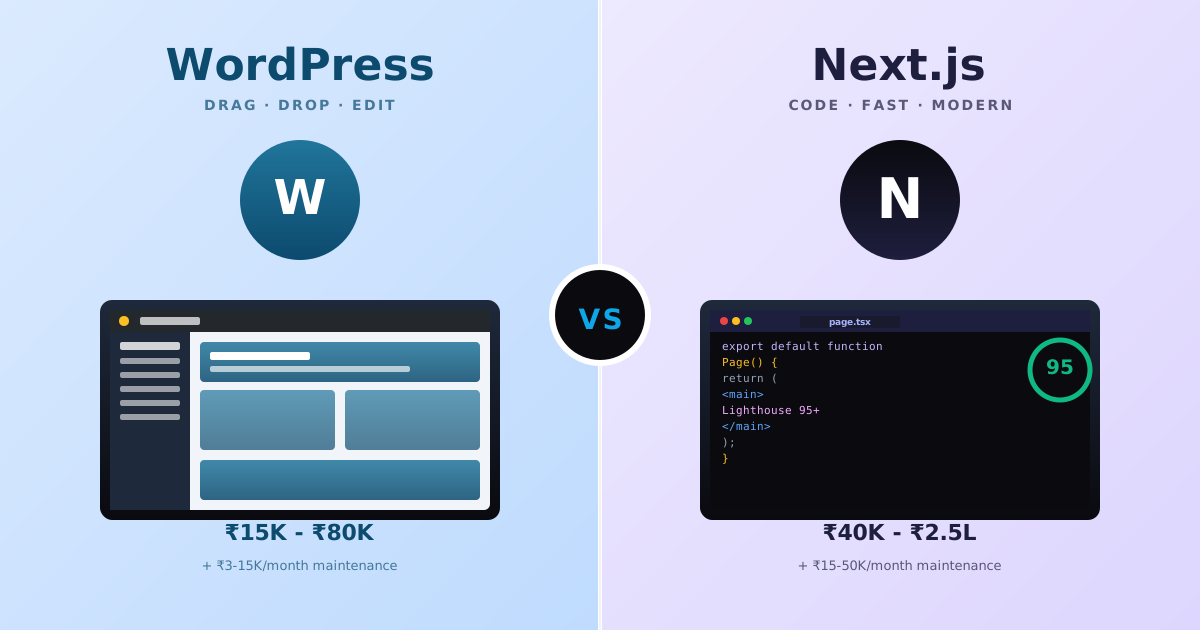
WordPress vs Next.js for Indian Small Businesses (2026): When Each Wins, Real INR Costs, and the 8 Hidden Trade-offs
Indian founders keep asking the wrong question, "WordPress or Next.js?", when the real question is what each stack actually solves for a ₹50K-2L budget, who edits content, and what breaks 18 months later. Real INR pricing, the 8 hidden trade-offs, and a decision matrix by business + team type.
Your Competitor's Website Is Beating Yours: The 20-Minute Teardown (2026)
We lost a ₹6.2 lakh project to a company with a worse product and a cheaper website. So I tore their site apart. Here is the 24-point scorecard I now run on any competitor, the free tools that do it, and the three things to fix first.