We build websites, web apps and mobile apps in Next.js, NestJS, Shopify and Flutter for businesses across India. Free 1-page audit, no obligation.
Get a free quote- How to Get Google Reviews for Your Business in India (2026)October 17, 2026
- Payment Gateway Rejected Your Website? 5 Pages to Add (2026)October 16, 2026
- How Clients Judge Your Business Name Before They Ever See Your WorkOctober 15, 2026
- EV Charging Rules Every Indian Company Has to Follow in 2026 (And the Software That Proves It)October 13, 2026
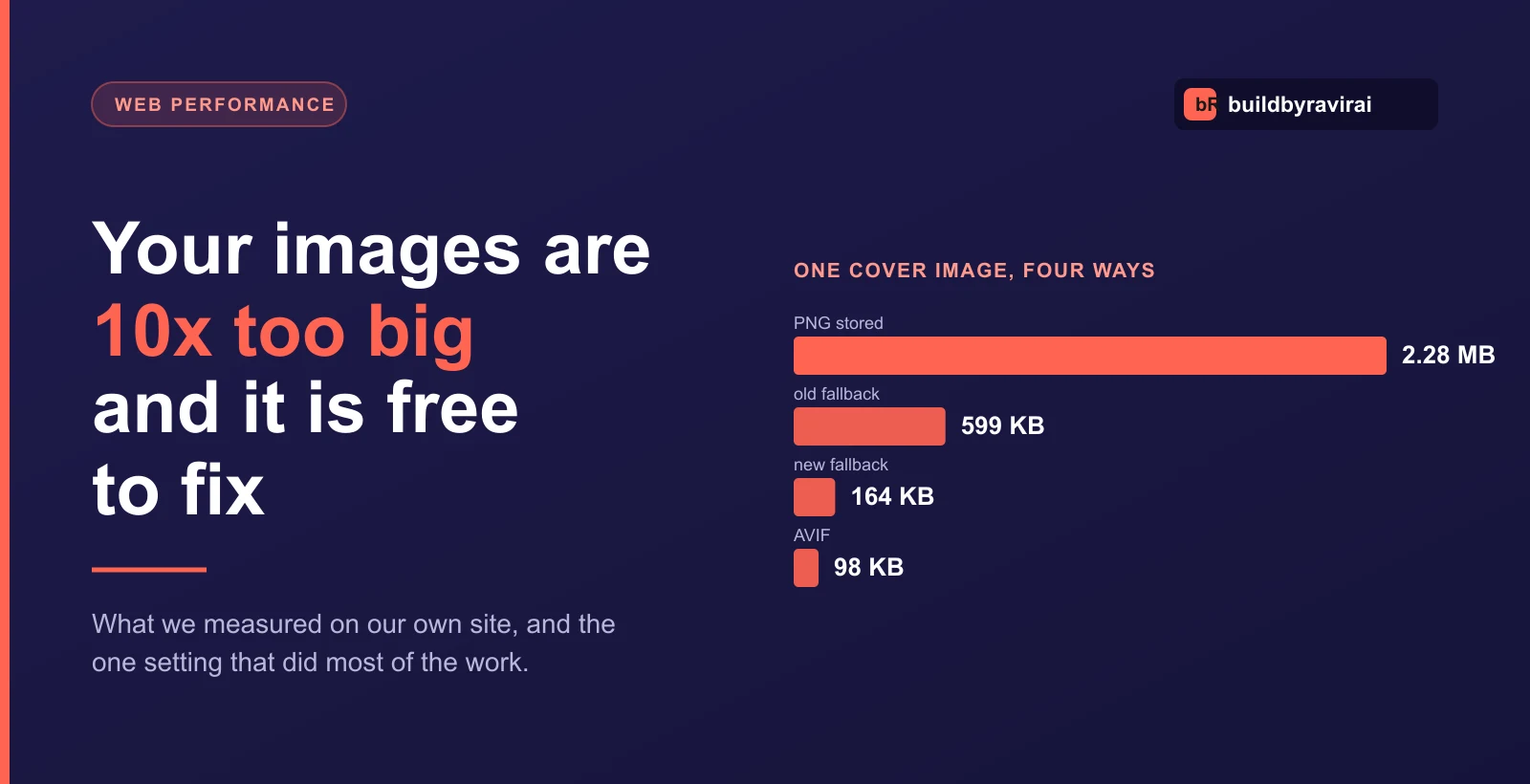
Your Website Images Are 10x Too Big. We Measured Ours.
We audited our own site last week and found 11.3 MB of images sitting where under 1 MB would have done the same job. Six blog cover pictures, averaging 1.9 MB each. Not a client site. Ours.
That is worth writing up, because the mistake is boring, extremely common, and costs nothing to fix. It is also worth being precise about who was actually paying for it, because the honest answer is narrower than most articles on this subject will tell you.
What we found
Every one of those covers was a PNG. PNG is a lossless format: it stores a perfect copy of every pixel. That is exactly right for a logo, a screenshot with sharp text, or anything needing a transparent background. It is the wrong choice for a photograph or a detailed illustration, where it stores roughly ten times the data of a lossy format nobody can tell apart from it.
We re-encoded the same six images to WebP at quality 85 and compared them side by side before trusting the number. The lettering and the logo in each one stayed clean.
- 11.34 MB of PNG became 0.95 MB of WebP, a 91.6% reduction
- The largest single file went from 2.28 MB to 160 KB
- No visible quality loss at the size these render on the page
- Total time: one afternoon, including checking each one by eye
What a visitor actually downloads
Here is the part most write-ups skip, and it changes how much you should care.
Our site runs images through Next.js's image optimizer, which re-encodes on the fly and serves AVIF or WebP to any browser that says it can take one. So the 2.28 MB file was never sent to a normal visitor. They were already getting about 98 KB. Re-encoding the source did not change their experience at all.
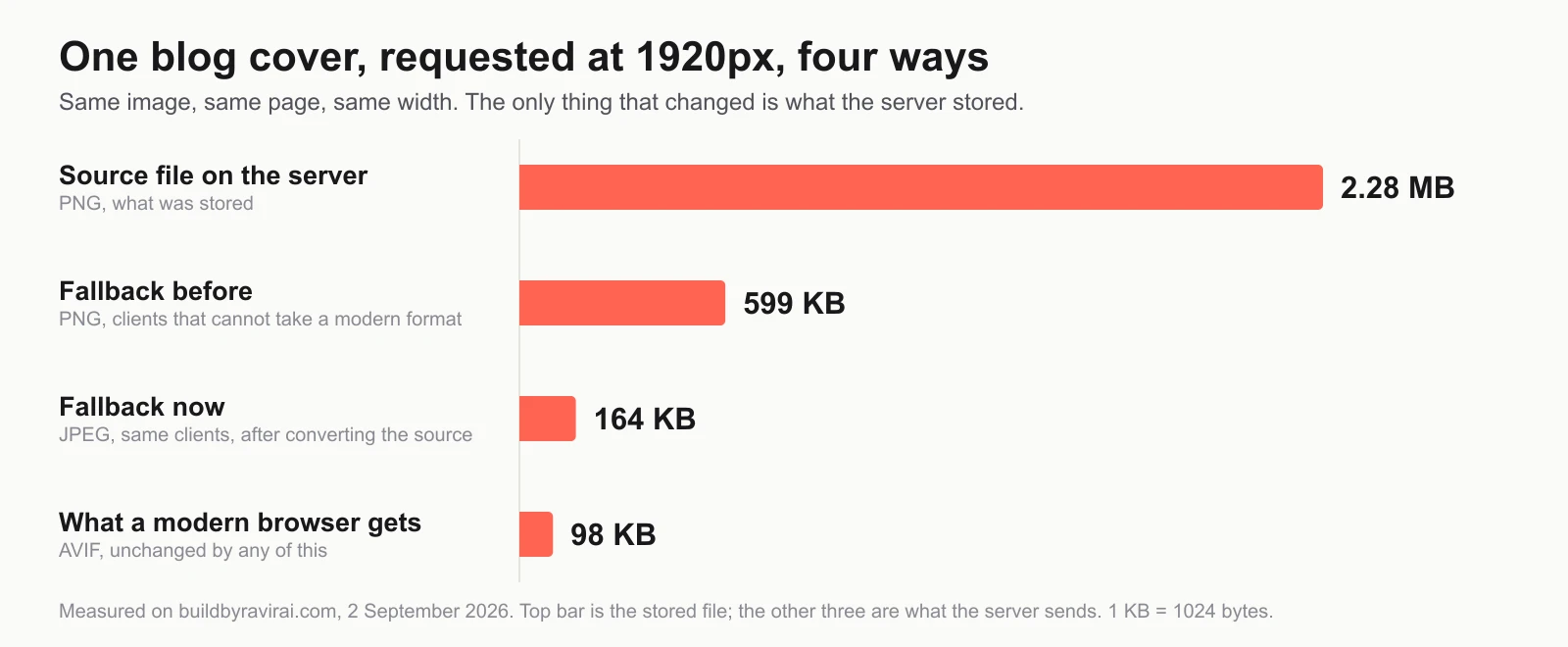
The bar that moved is the third one. That is what the server sends to a client which cannot advertise a modern format: bots and scrapers, corporate proxies, and genuinely old devices. Before the change they received a 599 KB PNG. Now they get a 164 KB JPEG.
One detail worth knowing if you go looking: with a WebP source, that fallback comes out as JPEG, not WebP. Next deliberately refuses to hand a WebP file to a client that did not ask for one. So "convert everything to WebP and everyone gets WebP" is not what happens, and believing it is how people end up deleting their originals.
So is it worth doing?
Yes, for three reasons, none of which is the one usually given.
- Your origin pays every time the cache is cold. Our optimizer re-fetches the original at every size after each deploy, and that transfer went from 11.34 MB to 0.95 MB. This is the one benefit here we can put a number on, and if you host images somewhere that bills for egress it is a line on a bill.
- Somebody is still getting the fallback, though fewer people than we first wrote. The first version of this post said in-app browsers, the ones inside WhatsApp and Instagram, were that population. That was wrong and is worth correcting rather than quietly deleting: those are Chromium or Safari underneath and have advertised WebP for years, so they get the small version like everyone else. What is actually left is old Android devices, some corporate proxies, and the bots and scrapers that fetch your pages. We have not measured how much of our own traffic that is, and we are not going to pretend otherwise.
- Nothing else you do to a page is this cheap. There is no redesign, no rewrite, no risk. It is a format change on a handful of files, and it takes an afternoon.
What it is not: a fix for a slow site. If your pages are slow, images are one candidate and usually not the biggest. Render-blocking scripts, an overloaded shared host and a bloated page template all beat images regularly. Fix this because it is free, not because you expect the site to feel different afterwards.
How to check your own site in five minutes
- Open your site in Chrome, press F12, and go to the Network tab. Filter by Img and reload.
- Sort by size. Anything over about 200 KB on a page that is not a photography portfolio is worth a look.
- Check the Type column. If you see png on photographs, that is the finding.
- Now the part people miss: right-click the largest one, copy the URL, and fetch it with a request that does not advertise WebP or AVIF support. curl -H 'Accept: /' does it. That tells you what the fallback weighs, which is the number that actually changed for us.
If you are on WordPress, a plugin will convert to WebP and keep the originals. If you are on Shopify, it converts automatically and there is nothing to do. If you have a custom build, the conversion belongs in whatever handles uploads, so it happens once at upload time rather than as a chore someone has to remember.
The rule we now use
Photographs and detailed illustrations go in a lossy format, WebP for preference. Logos, icons, screenshots with small text and anything needing transparency stay PNG, or better, become SVG where they can. Nothing is a PNG by default just because that is what the export dialog opened on.
We also moved the conversion into the upload path on our own backend, so this cannot quietly come back the next time someone adds a cover image. Fixing the six files was the smaller half of the job.
Common questions
Will converting to WebP make my images look worse?
At quality 80 to 85, not in any way a visitor will notice on a screen. We checked each of ours by eye at full size before shipping, specifically looking at the text and the logo inside the picture, because that is where compression artefacts show first. If you are printing the image or your visitors will zoom deeply into fine detail, keep a lossless master and serve the WebP.
Do all browsers support WebP?
Effectively yes. Every current browser has supported it for years. The clients that do not are the fallback population described above, and a properly configured site serves them a JPEG automatically rather than breaking.
Should I use AVIF instead?
For delivery, yes, and most modern setups already do. AVIF is roughly a quarter smaller again than WebP on photographic content. For the file you store and keep, WebP is the more practical master because more tools can open and edit it.
How much will this improve my PageSpeed score?
Honestly, possibly not at all, because PageSpeed tests with a browser that already receives the optimized format. That is not a reason to skip it. It is a reason to be suspicious of anyone who promises a score jump from an image conversion alone.
If you want to know what your own pages actually weigh, and which of them is worth fixing first, we will look and tell you honestly, including when the answer is that images are not your problem.
Get a free site auditFrequently asked questions
Will converting my website images to WebP make them look worse?
How much smaller is WebP than PNG?
Do I still need PNG for anything?
Will smaller images improve my Google ranking?
Founder of buildbyravirai, a web development agency based in Noida, India. Building websites, web apps and mobile apps in Next.js, NestJS, Shopify and WordPress since 2021, for clients in India, the US, Canada and the UK.
How this worked in practice
Working with us in your city
Keep Reading
Website Builder vs Custom Website in India 2026: An Honest Decision Guide
Wix, Squarespace, Shopify, or a custom build? The no-spin guide for Indian businesses in 2026: when a builder is smart, the real three-year cost, and lock-in.
Payment Gateway Rejected Your Website? 5 Pages to Add (2026)
Razorpay, PayU and Cashfree reject the website, not the business. The checklist a reviewer runs, copyable policy text, and what to fix before resubmitting.
Nobody Has a Backup of Your Website: How to Check Today (2026)
Most Indian business owners find out there was no backup on the day they need one. By then the site is gone, the developer is unreachable, and the quote to rebuild it is higher than what the site cost in the first place. Here is the ten-minute check that tells you whether a copy of your website exists, who holds it, and what it costs to put a real backup in place.
Your Website Is Not Showing on Google: How to Find Out Why (2026)
You paid for a website, you search your own business name, and nothing comes up. Here is the ten-minute diagnosis that tells you whether Google has never seen your site, has seen it and refused it, or has it indexed and simply ranks it below everyone else. Three different problems, three different fixes, and only one of them costs money.
 Technology
Top Retail Technology Trends Boosting Sales
Discover retail technology trends in India, from UPI checkout and WhatsApp automation to inventory sync, RTO reduction and e-commerce growth strategies.