We build websites, web apps and mobile apps in Next.js, NestJS, Shopify and Flutter for businesses across India. Free 1-page audit, no obligation.
Get a free quote- How to Get Google Reviews for Your Business in India (2026)October 17, 2026
- Payment Gateway Rejected Your Website? 5 Pages to Add (2026)October 16, 2026
- How Clients Judge Your Business Name Before They Ever See Your WorkOctober 15, 2026
- EV Charging Rules Every Indian Company Has to Follow in 2026 (And the Software That Proves It)October 13, 2026
Your Website Is Not Showing on Google: How to Find Out Why (2026)
A sweet shop owner in Kanpur paid ₹24,000 for a website in March. In August he called me, angry, and asked for his money back. He typed his shop's name into Google every morning and got nothing. His nephew's cricket club came up. A sweet shop in Lucknow came up. His own site, the one he had paid for, was nowhere.
The site was fine. It was fast, it worked on a phone, the content was decent. Google had never been told it existed, and nobody had ever checked. Two days after one free submission his site started appearing for his own shop name. The fix cost nothing. The eleven lost months cost a great deal.
I run a web development agency and this is the complaint I hear more than any other. It almost never means what the owner thinks it means. "Not showing on Google" hides three completely different problems, and the fix for one is useless for the other two. So before anyone sells you SEO, spend ten minutes finding out which one you actually have.
Three problems that look identical
Everything that goes wrong between your website existing and your website appearing in search falls into one of three buckets:
- Google has never fetched your site. It does not know the address exists. Nothing you write, no keywords, no amount of money changes this until Google is told. Free to fix, usually days.
- Google fetched your site and decided not to keep it. The page has been judged and set aside: blocked by a setting, pointing at another address, too thin, or a copy of another page. Free to fix, but you have to find the reason.
- Google has your site indexed and ranks it below the businesses it trusts more. This is the only one of the three that is actually SEO, and the only one that takes months and money.
Most owners assume they have problem three and start buying SEO packages. In my experience somewhere around half the "my site is not on Google" cases I look at are problem one or two, where a monthly SEO retainer is money set on fire. Ten minutes of checking tells you which conversation you should be having.
The ten-minute check, in order
Do these in sequence and stop at the first one that fails. You need nothing except a browser.
STEP 1. Is it in the index at all?
In Google, search exactly this (your address, no space after the colon):

    site:yourbusiness.in

  Results shown -> Google HAS your site. Note how many. Go to step 4.
  "did not match any documents" -> Google does not have it. Go to step 2.

STEP 2. Does Google have the home page specifically?

    site:yourbusiness.in/

  Still nothing -> the site is not indexed. The fixes section is your list.

STEP 3. Are you searching for something you cannot win yet?
Search your exact business name in quotes, plus your city:

    "Sharma Sweets Kanpur"

  Appears for its OWN name but not for "sweet shop in Kanpur" ->
  that is problem three (ranking), not indexing. Skip to the last section.

STEP 4. How many of your pages did Google keep?
Compare the site: count against the number of pages you actually have.

  Roughly all of them     -> indexing is healthy
  Home page only          -> internal links or sitemap problem
  Far fewer than you have -> read the Search Console section

STEP 5. Is the site telling Google to stay away?
Open these two addresses in your browser:

    yourbusiness.in/robots.txt
    view-source:yourbusiness.in   (then Ctrl+F for: noindex)

  robots.txt containing "Disallow: /"  -> the whole site is blocked
  the word noindex in the source       -> that page is blocked

Both are one-line developer fixes, and both are very common on sites that
were recently moved from a staging address to the real one.
That is the diagnosis. Nine times out of ten you now know whether you are dealing with a switch left in the wrong position, a site Google has never met, or genuine competition.
The free tool that answers it properly
The site: search is a rough signal. Google Search Console is Google telling you, in its own words, what it did with every page you have. It is free, it is the single most useful thing a business owner can set up for their own website, and most of the sites I am sent have never had it connected.
Setting it up takes about fifteen minutes:
- Go to search.google.com/search-console and sign in with a Google account you control. Not your developer's account, and not an agency's. Yours. This matters more than it sounds: when a relationship ends, the data and the verification go with whoever owns the account.
- Choose the Domain option and type your address without https and without www, for example yourbusiness.in. The Domain option covers every version of the address at once, which saves you from the classic mistake of verifying www and then wondering why half the data is missing.
- Google gives you a TXT record to add to your domain's DNS. If you bought the domain yourself from GoDaddy, Hostinger, BigRock or Cloudflare, you can add it in their control panel in two minutes. If your developer holds the domain, send them the record and ask for confirmation when it is in.
- Once verified, open URL Inspection at the top, paste your home page address and press Enter. This is the moment of truth.
URL Inspection answers your question directly. It says either "URL is on Google", or it names the reason it is not. The replies worth knowing:
- Discovered, currently not indexed. Google knows the address and has not got around to fetching it. This is a queue, not a rejection. It clears with time, a sitemap and links from other sites.
- Crawled, currently not indexed. Google fetched the page, read it, and chose not to keep it. Usually the page is thin, near identical to another page of yours, or simply not worth a slot yet from a site with no reputation. More words alone rarely fixes it. Being the only page that answers a real question does.
- Excluded by noindex tag, or Blocked by robots.txt. A setting. One developer message fixes it, same day.
- Duplicate, Google chose a different canonical than user. Google decided another address is the real one, often the www or trailing-slash twin. Your page is in the index, under a different address. Annoying, not fatal.
- Page with redirect. The address you asked about forwards somewhere else, so Google indexed the destination. Fine, as long as the destination is right.
- URL is unknown to Google. Never fetched, never queued. This is the sweet shop case.
I will be honest about the scale of this, because the numbers are usually hidden. Our own site has 420 addresses submitted to Google. On the last check, 351 were indexed where we asked, 12 more were held under a slightly different address, and 57 were simply absent: 26 discovered and never fetched, 14 crawled and set aside, 6 that Google has no record of at all. That is a site with clean settings, a valid sitemap, daily attention and an automated submission job, and Google still declines about one page in eight. A new business site with no reputation should expect worse, and nobody should tell you otherwise.
The five things that actually get a site indexed
In the order they are worth doing, and four of the five are free.
- Submit a sitemap. A sitemap is one file listing every page on your site, normally at yourbusiness.in/sitemap.xml. Open that address: if it loads a page of links, you have one, and you paste the address into Search Console under Sitemaps. If it returns a 404, your developer needs to generate it. This is the highest-value step and the one most often skipped.
- Request indexing for the pages that matter. In URL Inspection, paste a page address and press Request Indexing. Do your home page, your main service or product page, and your contact page. There is a daily limit of roughly ten, so spend them on the pages that earn money, not on every blog post.
- Fix the blocking settings. A robots.txt with Disallow: /, a noindex tag, or a site still pointing its canonical at the staging address. Any of these makes everything else pointless. Check them first, and recheck after every redesign, because a redesign is exactly when a staging setting gets carried to production.
- Get two or three links from sites Google already trusts. This is how Google finds a new site in the first place and how crawl attention is earned. Your Google Business Profile, your Instagram and Facebook bios, your LinkedIn company page, a genuine industry directory, a supplier or association page that lists members. Not paid link packages. Real pages that would list you anyway.
- Wait, and keep publishing. A brand new domain typically appears for its own name within a few days to two weeks once submitted, and takes months to compete for anything commercial. No payment shortens this, including Google Ads, which has no effect whatsoever on your organic results.
One thing not on that list: paying to be submitted to 500 search engines. That service solves a problem from 2004. Google, Bing and the handful that matter are all covered by a sitemap and a few real links.
The part most Indian businesses need more than the website
If you are a shop, clinic, restaurant, salon, gym, coaching centre, builder or anyone whose customers are local, the box that appears at the top of the results with a map is not coming from your website. It comes from a Google Business Profile, it is free, and it is a separate thing you have to claim at google.com/business.
I have seen businesses spend a year worrying about their website position while the map listing that would send them actual walk-ins sat unclaimed. Claim it, add your real address and phone number, put your website link on it, add fifteen photographs, and ask your regular customers for reviews. For a local business this usually produces enquiries faster than anything you do to the website, and it also gives Google a trusted page that links to your site, which helps the indexing problem at the same time. Our guide on ranking in the Google Maps pack goes through the whole setup.
What to send your developer
If the ten-minute check found a problem, do not send "my site is not on Google". That earns a shrug and a quote for SEO. Send this:
Subject: Indexing check on [www.yourbusiness.in]

What I found:
- site:yourbusiness.in returns [number] results (expected about [number])
- yourbusiness.in/robots.txt contains: [paste the lines]
- yourbusiness.in/sitemap.xml [loads / returns 404]
- Search Console URL Inspection on the home page says: [paste the status]

Please confirm in writing:
1. That no page carries a noindex tag and robots.txt does not disallow the site
2. That a sitemap exists at /sitemap.xml and lists every live page
3. That the canonical tags point at the live address, not a staging or www variant
4. That the sitemap has been submitted in Search Console
5. Which Google account holds the Search Console property, and please add
   [your email] as an owner

If any of the above is not in place, please tell me when it will be and
whether it is covered by what I have already paid.

Thanks,
[Your name]
Point 5 is the one to insist on. Search Console ownership in your own Google account is your proof, your data and your protection. Ask for it the way you would ask for the domain login. Our post on who owns your website covers the rest of that list.
If you are indexed and still invisible
Suppose the check went well. Google has your pages, the settings are clean, you appear for your own business name, and you still get nothing for the search that would bring customers. That is problem three, and I want to be straight about it, because this is where most of the money in this industry is spent on hope.
Being indexed means you are eligible. Ranking means you beat the twenty businesses already there, most of whom have been online for years and have hundreds of other sites linking to them. A domain under a year old is competing from behind no matter how good the site is. Our own numbers, published openly: after a hundred-odd articles the site's commercial queries sat on page two and three for months before anything moved, and plenty still do. There is a full account of that in what a hundred articles actually produced.
What genuinely moves it, in order of effect for a small Indian business: a complete Google Business Profile with real reviews, a handful of honest links from pages that would list you anyway, pages that answer one specific question better than anyone else answers it, and time. What does not move it: keyword stuffing, paid link bundles, spun articles, or an SEO retainer with no report you can read. If a monthly report does not show you query positions from Search Console, you are paying for a PDF.
And if you want traffic this month rather than next year, that is advertising, not SEO. A small, tight Google Ads budget appears immediately and stops the day you stop paying. Both are legitimate purchases. They are simply not the same purchase, and anyone blurring the two is selling you something. We compare them honestly in Google Ads versus Facebook Ads for Indian businesses.
The short version
- "Not on Google" means one of three things: never fetched, fetched and refused, or indexed and outranked. The fixes share nothing.
- Search site:yourbusiness.in first. Results means you are indexed and your problem is ranking. No results means you are not, and no SEO spend helps until that changes.
- Check /robots.txt for Disallow: / and the page source for noindex. One-line fixes, and very common after a redesign.
- Set up Google Search Console in your own Google account, verify by domain, submit /sitemap.xml and use URL Inspection. Free, fifteen minutes, and it replaces guessing with Google's own answer.
- Even a well-maintained site does not get everything indexed. Ours: 351 of 420 at the last check. Expect gaps and judge by trend, not perfection.
- If your customers are local, the Google Business Profile usually matters more than the website position, and it is free.
- Appearing for your own name takes days. Competing for commercial searches takes months, and no payment shortens it.
Send us your website address. We will run the indexing check, tell you which of the three problems you actually have, and send you the exact list for your developer. No pitch unless you ask for one.
Get a free indexing checkFrequently asked questions
Why is my website not showing up on Google search?
How do I check if my website is on Google?
How long does Google take to index a new website?
Do I have to pay Google to appear in search results?
My developer says the website is live but it is not on Google. Who is right?
Is Google Search Console free, and do I need it?
Founder of buildbyravirai, a web development agency based in Noida, India. Building websites, web apps and mobile apps in Next.js, NestJS, Shopify and WordPress since 2021, for clients in India, the US, Canada and the UK.
Working with us in your city
Keep Reading
How to Rank #1 on Google Maps for Your City in 2026: The Local SEO Playbook for Indian Businesses
When someone searches "[your service] near me" or "[your service] in [your city]", do you show up in the top 3 on the map? Or are you invisible to a customer who's ready to buy right now? Ranking in the Google Maps 'map pack' is more achievable than you think, and most of your local competitors haven't done the basics. This is the step-by-step playbook.
 SEO
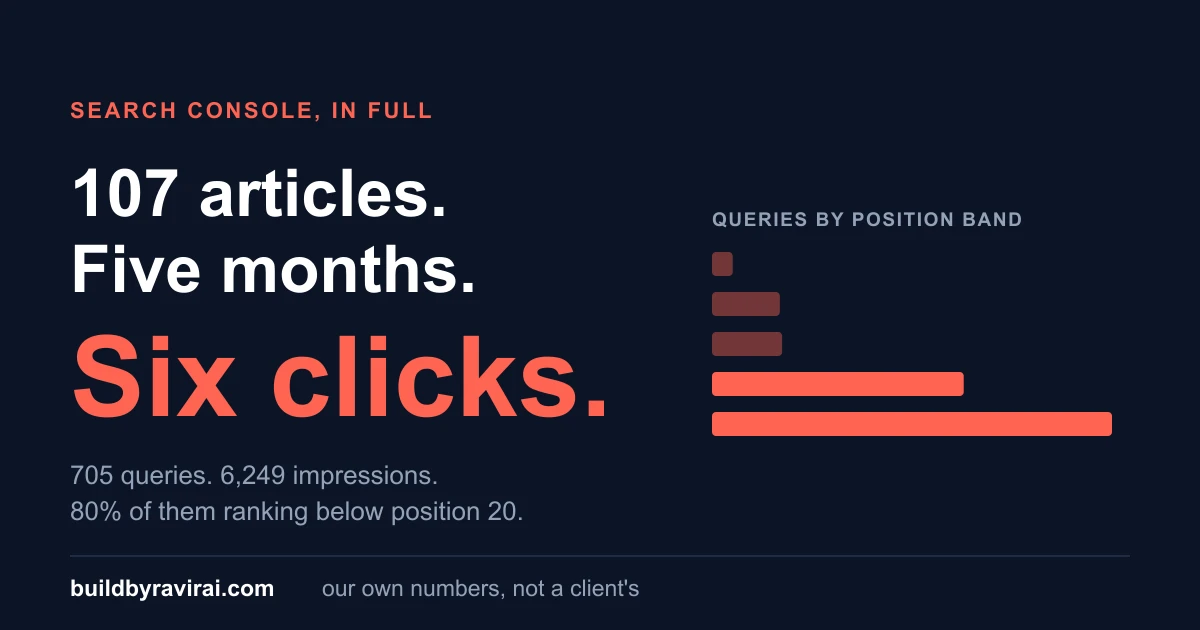
SEOWe Published Our Search Console Numbers. They Were Wrong.
We said six clicks in 90 days. The real figure is 149. Here is the Search Console trap that produced the error, and what our numbers actually are.
 SEO
SEOSEO vs GEO: What Changes When AI Answers the Question
GEO is mostly good SEO plus structure and citability. What genuinely changes when an AI answers the question, and why nobody can guarantee citations.
Website Builder vs Custom Website in India 2026: An Honest Decision Guide
Wix, Squarespace, Shopify, or a custom build? The no-spin guide for Indian businesses in 2026: when a builder is smart, the real three-year cost, and lock-in.
Is Your Website Mobile Friendly? The 5-Minute Phone Test (2026)
Most visitors to a small business website in India arrive on a phone, and Google now reads only the phone version. Here is a five-minute test you can do yourself, the eight mistakes we see most, what a fix costs in 2026, and the exact message to send your developer.