We build Next.js, Shopify, Laravel, Flutter, in Noida, India. Free 1-page audit, no obligation.
Get a free quote- Top Healthcare IT Solutions Improving Patient ExperienceAugust 12, 2026
- Top IT Solutions Transforming Financial Services in 2026August 10, 2026
- Website Development Cost in India in 2026 | Complete Pricing GuideAugust 4, 2026
- OCPP and UPI: How EV Chargers in India Can Take Payments Without an AppJuly 27, 2026
- The 3 versions of WhatsApp for business (pick the right one)
- Cloud API vs On-Premise API, pick Cloud API
- Real pricing in INR (Meta + BSP)
- Setup steps (5-7 days end-to-end)
- The 5 mistakes we see every month
- When you should actually skip the API entirely
- When you should definitely get the API
- Recommended setups by business type
- What we offer (transparent pricing)
- TL;DR
 Guides
WhatsApp Business API for Indian Businesses in 2026: Setup, Pricing, and the Mistakes Everyone Makes
Every Indian business owner asks me the same question this year: 'should I get the WhatsApp Business API?' My honest first answer is usually 'no, you don't need it yet.' Most businesses that ask for the API would be better served by the free WhatsApp Business App on a smartphone. But for the ones who do need it, getting it set up correctly, without overpaying a BSP or getting blocked for compliance, requires understanding the actual landscape. This is that landscape, in plain language, with real INR prices.
“The WhatsApp Business API costs ₹0 from Meta. Anything you pay is for the BSP (Business Solution Provider) wrapping that API, plus per-conversation fees that Meta charges. Most Indian businesses overpay by 2-4x because they pick the first BSP that called them. The good news: switching BSPs is easy once you know what you're paying for.”
The 3 versions of WhatsApp for business (pick the right one)
1. WhatsApp Business App (free, mobile app)
The green WhatsApp Business app you download from Play Store / App Store. Free forever. Works on one phone. Up to 256 contacts per broadcast. Good enough for 90% of small Indian businesses doing under 500 customer chats a day.
- Cost: ₹0
- Setup time: 10 minutes
- Limits: 1 device per phone number, no multi-agent, no automation, max 256 broadcast recipients
- Best for: kirana shops, salons, doctors, solo developers, small restaurants, anyone with <50 chats/day
2. WhatsApp Business Multi-Device (free, with limits)
Same Business App but used on a tablet + phone simultaneously via WhatsApp Web. Free, useful for small teams of 2-3 people sharing one number, but still NOT the API. No automation, no integration with your CRM or website.
- Cost: ₹0
- Setup time: 5 minutes after Business App is set up
- Limits: 4 linked devices max, same number across all
- Best for: small teams (2-4 people) who share one WhatsApp Business number
3. WhatsApp Business API / Cloud API (paid)
The official API offered by Meta. Lets you send/receive messages programmatically, integrate with your website / CRM / mobile app, run automated workflows, broadcast to thousands of customers, and have a green-tick verified profile. This is what 'WhatsApp Business API' actually means.
- Cost: ₹0 from Meta + per-conversation fees (Meta) + BSP platform fees
- Setup time: 3-7 days end-to-end (including Meta verification)
- Limits: 1,000 unique recipients per day initially, scales to unlimited based on tier
- Best for: businesses doing 500+ chats/day, e-commerce stores with order updates, businesses needing automation, agencies, anyone wanting green-tick verification
Cloud API vs On-Premise API, pick Cloud API
Until 2022, WhatsApp Business API meant 'On-Premise API', you had to host the WhatsApp server on your own infrastructure (or your BSP hosted it). Complex, expensive, slow to update. In 2022 Meta released Cloud API, they host the server, you just hit their HTTP endpoints. As of 2026, Cloud API is the right choice for ~99% of cases. It's free to use (just per-conversation fees from Meta), faster to ship, and Meta deprecates the On-Premise API in late 2025.
If a BSP is selling you 'WhatsApp On-Premise API' in 2026, push back. They're probably building on a deprecated stack to lock you in. Cloud API is the default.
Real pricing in INR (Meta + BSP)
What Meta charges (transparent, public)
Meta bills per 'conversation', a 24-hour window of messages between you and a customer. The price depends on:
- Conversation category (utility / marketing / authentication / service)
- Country of the customer (India is the cheapest tier)
- Whether the customer or you started the conversation
India pricing in 2026, per conversation:
- Service (customer-initiated within 24hr window): ₹0 (FREE, Meta removed pricing for these in 2025)
- Utility (you initiate, e.g. order updates, OTPs): ₹0.13 per conversation
- Authentication (OTPs only): ₹0.10 per conversation
- Marketing (promotional messages): ₹0.66 per conversation
These are per CONVERSATION (24-hour window), not per message. If you message a customer 8 times in 24 hours, it's still 1 conversation. Meta also gives 1,000 free service conversations per month per WhatsApp Business Account.
What BSPs charge (varies wildly)
Business Solution Providers (BSPs) wrap the Cloud API with a UI, automation tools, contact management, broadcast, chatbots, etc. They charge a platform fee on top of Meta's conversation fees. Indian BSP pricing in 2026:
- Wati: ₹2,499-₹7,999/month + Meta conversation fees + ₹0.10-₹0.30/conversation BSP markup
- AiSensy: ₹999-₹4,999/month + Meta fees + small markup
- Gupshup: usage-based, ₹0.30-₹0.50/conversation total (including Meta), best for high volume
- Interakt: ₹2,500-₹8,500/month + Meta fees
- DoubleTick: ₹999-₹5,000/month + Meta fees
- Direct Meta Cloud API (no BSP): only Meta fees (₹0-0.66/conversation), but you need to build your own integration
If you're doing under 1,000 conversations/month, BSP fixed monthly fees dominate. If you're doing 10,000+/month, Gupshup-style usage pricing wins. If you have a developer who can hit Meta Cloud API directly, you can skip the BSP entirely and save ₹2,000-₹8,000/month, but you lose the no-code automation UI most BSPs provide.
Setup steps (5-7 days end-to-end)
Day 1: Business verification with Meta
You need Meta Business Manager (free). Inside it, you verify your business with documents: GSTIN, PAN, business registration certificate, utility bill or rent agreement. Meta usually approves within 2-3 days for established Indian businesses. The same Business Manager will hold your Facebook + Instagram + WhatsApp accounts.
Day 2-3: Pick a BSP (or go direct)
Sign up with one of: Wati, AiSensy, Gupshup, Interakt, DoubleTick, or go direct via Meta Cloud API (developer route). Connect your BSP account to your Meta Business Manager. The BSP provisions a 'WhatsApp Business Account' (WABA) for you.
Day 3-4: Phone number setup
Pick a phone number that's NOT currently in use on regular WhatsApp or WhatsApp Business App. If it is, you have to delete its existing WhatsApp profile first. The BSP sends an OTP to that number to verify, then claims it for the API. Once a number is on the API, you can't use it on the regular WhatsApp app anymore, pick this number carefully.
Day 4-5: Display name + business profile
Choose your display name (e.g., 'Jai Shri Balaji Store'). Meta has rules, no emojis, no generic words like 'WhatsApp', no all-caps. Fill in business profile (address, description, website, email). Submit for Meta review. Approval usually within 24-48 hours.
Day 5-7: Template message approval
Any message you initiate to a customer (vs. them messaging you first) must use a pre-approved 'template message.' Submit templates for: order confirmation, order shipped, delivery update, payment received, abandoned cart, festive promotion. Each template needs Meta approval (24-72 hours). Reject reasons usually: too promotional in non-marketing category, missing variables, generic content.
Day 7+: Integration with your website / CRM / app
If using a BSP, their dashboard usually has a webhook URL you give them. When a customer messages, they POST to your webhook so your CRM knows. For outbound (you initiating), you call BSP's API to send a template message to a customer's number. If going direct Meta Cloud API: read Meta's documentation, register a webhook URL, exchange access tokens, send POST requests to /messages.
The 5 mistakes we see every month
1. Buying a BSP plan way larger than needed
Sales reps from BSPs aggressively push the ₹7,999/month plan to businesses doing 200 chats a day. You need the ₹999/month plan. Start small. Upgrade only when you actually hit the limit. We've audited 12 clients in 2025 paying 4-5x what their volume justifies.
2. Picking the wrong template message category
Order shipped notification = utility (cheap). 'Hey Diwali sale 30% off!' = marketing (5x the cost). Some businesses tag everything as utility to save money. Meta detects this within weeks and starts auto-rejecting your templates. Tag honestly.
3. Number ban for sending too aggressively
New WhatsApp Business API numbers start at 'Tier 1' = max 1,000 unique recipients per day. If you blast 5,000 messages on day 1, Meta auto-suspends the number for spam. Scale gradually: 100 messages day 1, 500 day 7, 2,000 day 30. Tier increases automatically based on quality rating.
4. Using the same number on Business App and API
You can't. Once a number is on the API, the Business App stops working for it. We've had clients lose months of chat history because they migrated their primary support number to the API without backing up. Always pick a NEW number for the API. Keep your existing number on the Business App.
5. Not getting the green tick when eligible
The green tick (verified business badge) costs ₹0 if you qualify. Meta evaluates: business size, brand recognition, news mentions, social media presence, support volume. Most agencies don't bother applying. We've gotten green ticks for 4 client accounts in 2025, it took 1 application form + supporting media kit, approved in 3-4 weeks each time.
When you should actually skip the API entirely
Most Indian businesses are best served by the free WhatsApp Business App. Skip the API if:
- You're doing under 200 chats a day total
- Your team is 1-3 people who can share one phone
- You don't have an e-commerce store or CRM to integrate with
- You don't need to broadcast to thousands of customers
- You're not ready to pay ₹1,000-₹5,000/month for a BSP
- You don't need automated order updates / OTPs / status messages
We've talked at least 8 small business clients OUT of the WhatsApp API in the last year. They were better served by the free Business App + a basic Google My Business profile + a working website. The API is a productivity layer that pays back at scale, not a status symbol.
When you should definitely get the API
Get on the API if you:
- Run an e-commerce store with 50+ orders/day (order confirmation + shipping updates via WhatsApp lift retention 15-25%)
- Need to send OTPs/transaction alerts via WhatsApp (cheaper and more reliable than SMS in 2026)
- Run customer support with 3+ agents simultaneously (multi-agent inbox via BSP)
- Want to send promotional campaigns to your customer list (Indian customers open WhatsApp 9x more than email)
- Are building a SaaS product where WhatsApp is the primary engagement channel
- Need to integrate WhatsApp with your CRM, helpdesk, or website chat
- Are a clinic / hospital sending appointment reminders, lab reports, prescription updates
Recommended setups by business type
Small kirana / restaurant / salon (under 100 chats/day)
WhatsApp Business App on owner's phone + Business Multi-Device for 1-2 staff. ₹0 monthly cost. Add API only when you're doing 500+ chats/day or hire a dedicated support person.
E-commerce store (100-1,000 orders/month)
Wati or DoubleTick at ₹999-₹2,499/month. Set up templates for: order confirmation, shipping, out-for-delivery, delivered, abandoned cart reminders. Expected ROI: 12-25% revenue lift from cart recovery + repeat orders.
E-commerce store (1,000+ orders/month)
Gupshup (volume pricing) or direct Meta Cloud API with custom backend (₹50K one-time integration). Integration with Shopify / WooCommerce / custom store. Expected ROI: 25-50% revenue lift at this scale.
Healthcare clinic / hospital
Interakt or AiSensy at ₹2,500-₹4,999/month. Templates for: appointment reminders, lab report ready, prescription, follow-up. Pairs with EMR integration. Expected outcome: 30-40% reduction in no-show appointments.
B2B SaaS / agency
Direct Meta Cloud API integration (₹0 platform cost, only conversation fees + your developer time). Used for customer support, demos, onboarding nudges. Most SaaS products do this themselves rather than via a BSP.
What we offer (transparent pricing)
We help Indian businesses set up WhatsApp Business API correctly. Two service tiers:
- BSP setup + integration (₹15,000-₹45,000 one-time), we pick the right BSP for your volume, set up Meta verification, get templates approved, integrate with your website / Shopify / CRM. You own the WABA, we never lock you in.
- Direct Meta Cloud API integration (₹60,000-₹2,00,000 one-time), for businesses doing 5,000+ conversations/month, we build a direct integration that bypasses BSP fees entirely. Long-term savings: ₹40,000-₹2,00,000/year in BSP fees.
We don't sell the BSP subscription, you pay the BSP directly. We charge for the setup work. This means no monthly recurring cost from us, no markup, no incentive to push you to a bigger plan than you need.
Setting up WhatsApp Business API or wondering if you even need it? We'll do a free 20-min call to recommend the right setup for your business volume, no upsell, no template script.
Talk to usTL;DR
- Under 200 chats/day? Use the free WhatsApp Business App. Skip the API.
- 200-1,000 chats/day? Pick a BSP, Wati or DoubleTick at ₹999-₹2,499/month.
- 1,000+ chats/day? Gupshup volume pricing or direct Meta Cloud API.
- Cloud API > On-Premise API in 2026. Always pick Cloud.
- Meta conversation fees: ₹0 service, ₹0.13 utility, ₹0.10 auth, ₹0.66 marketing (India).
- Setup takes 5-7 days end-to-end. 2 days waiting on Meta + 3-4 days actual work.
- Use a NEW phone number for the API. Don't migrate your existing support number.
- Start sending slowly, Tier 1 is 1,000 recipients/day max. Quality rating decides upgrades.
- Tag template message categories honestly. Don't mark marketing as utility.
- Green tick is FREE if you qualify. Most agencies forget to apply.
Founder of buildbyravirai, a web development agency based in Noida, India. 5+ years shipping Next.js, WordPress, Shopify, and Laravel projects for clients in India, USA, Canada, and the UK.
Working with us in your city
Keep Reading
 Guides
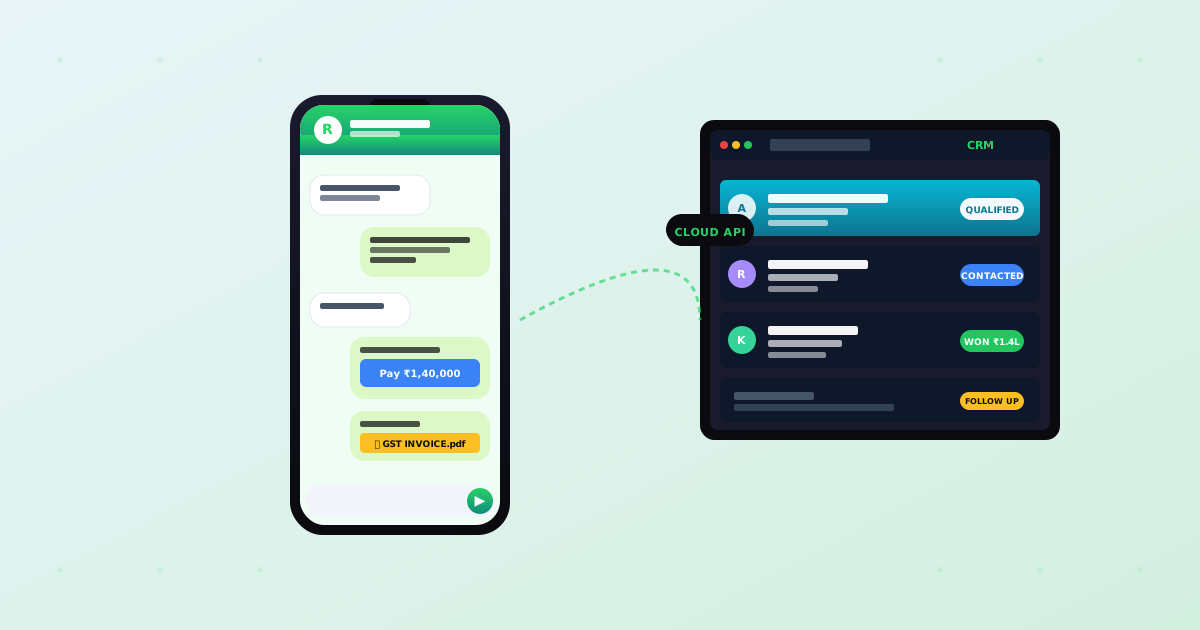
WhatsApp CRM for Indian SMBs in 2026: Why 70% of Your Leads Need It (and How to Set It Up for ₹50-80K)
70% of leads in India come via WhatsApp, yet most SMBs lose 20-30% in chat chaos. What a proper WhatsApp CRM does, INR pricing, build vs buy, 8 must-have features.
GuidesHow to Take Orders on WhatsApp for Your Small Business in India (2026)
A practical guide to taking WhatsApp orders in India: the three ways to do it, honest costs, and when a simple ordering website beats DIY chat.
 Guides
Website Security for Indian Businesses 2026: The Basics That Actually Stop Most Attacks
The plain-language guide to website security basics for Indian business owners in 2026: what actually attacks your site, and the few things that protect it.
 Guides
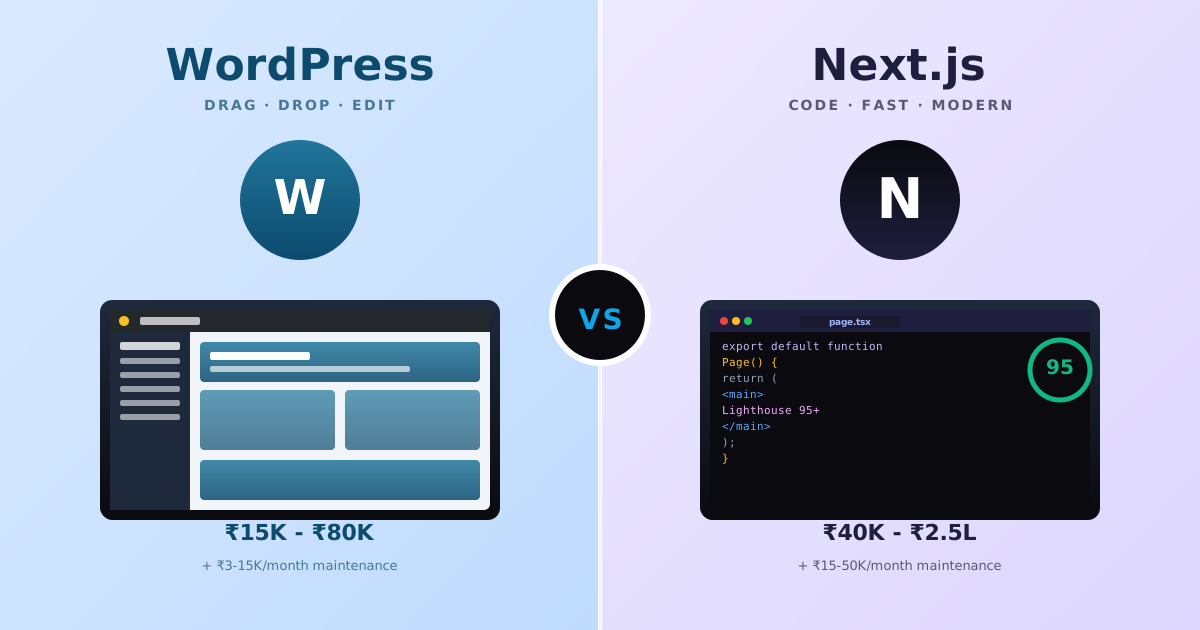
WordPress vs Next.js for Indian Small Businesses (2026): When Each Wins, Real INR Costs, and the 8 Hidden Trade-offs
Indian founders keep asking the wrong question, "WordPress or Next.js?", when the real question is what each stack actually solves for a ₹50K-2L budget, who edits content, and what breaks 18 months later. Real INR pricing, the 8 hidden trade-offs, and a decision matrix by business + team type.
GuidesWhat We Actually Fix When Indian Businesses Hire Us to Rebuild Their Website (8 Patterns from 30+ Rescue Projects)
Indian founders hire us to rebuild their website for one of 8 reasons, every single time. Here are the exact 8 patterns we see, the real fixes, and what each costs.