We build websites, web apps and mobile apps in Next.js, NestJS, Shopify and Flutter for businesses across India. Free 1-page audit, no obligation.
Get a free quote- Google Business Profile Suspended? How to Get It Back (2026)October 31, 2026
- Selling on ONDC in 2026: The Honest Maths Before You List (Fees, Real Order Volumes, and Who It Works For)October 28, 2026
- PHP Bug Puts WordPress Sites at Risk: The 10-Minute CheckOctober 22, 2026
- Your Competitor's Website Is Beating Yours: The 20-Minute Teardown (2026)October 19, 2026
How to Track Keyword Rankings in Google Search Console
If you want to track keyword rankings, start with the searches Google already connects to your website. Google Search Console (GSC) shows the queries that earned impressions, the pages that appeared, and how often searchers clicked. That makes it a useful starting point for an SEO plan based on evidence rather than a list of keywords someone guessed.
The goal is not to watch a ranking number move every day. It is to find relevant searches where your page can realistically improve, make a focused change, and check whether visibility and visits move over time.
What Google Search Console tells you about keyword rankings
In Search Console, open Performance → Search results. The report includes clicks, impressions, click-through rate (CTR), and average position. Select Queries to see search phrases, or select Pages to see which URLs appeared. Add a date range and, when useful, filters for a particular page, country, or device.
Average position is an aggregate, not a promise that every person sees your page in that exact place. Search results can differ by location, device, query wording, and time. Use the metric to understand broad movement across a period; don't treat a single manual search as a definitive ranking check.
One more caveat: query rows don't always add up to the site's total. Search Console omits some low-volume or anonymized searches from query-level reporting. Use the report totals for overall clicks and impressions, and use query rows to study the phrases Google does show. We documented this reporting difference after catching it in our own analysis.
Find keyword opportunities in the data you already have
Start with queries that have impressions and match something your business actually offers. A phrase with no impressions may become valuable later, but it does not yet show that Google connects your site with that search. Existing impressions are evidence of visibility, even when clicks have not arrived.
- Choose a recent, complete period, such as the last 28 days, and compare it with the previous period. For seasonal businesses, also compare with the same period last year when the data is available.
- Sort the Queries table by impressions. Look for relevant phrases with visibility but few clicks, then check whether the average position is close enough to page one to make the page a practical improvement candidate.
- Click a promising query and switch to Pages. Confirm which URL Google associates with it. If the result is the wrong page, or several pages appear for the same intent, clarify which page should answer that search.
- Record the query, its matching page, clicks, impressions, CTR, average position, date range, and the change you plan to make. Keep this small enough that you can review it consistently.
Prioritize by a combination of intent, existing demand, and winnability. A commercial query already appearing around positions 11–20 can be a better near-term opportunity than a broad, high-volume phrase buried several pages down. This is a prioritization rule, not a guarantee: competition, relevance, and the quality of the page still matter.
Match each keyword to the right page
Before adding a phrase to a title or writing another article, ask what the searcher wants. Someone comparing OCPP charging-management systems needs a different answer from someone looking for a web developer. One useful page that fully meets the intent is usually stronger than several pages repeating the same phrase.
- Use a service page for a clear buying or hiring query.
- Use an explanatory article for a question or research query.
- Use a comparison or case study when the searcher is weighing options or wants proof.
- Link related articles to the relevant service or resource with descriptive, natural anchor text.
Include the topic naturally in the page title, main heading, and useful sections, but write for the person who searched—not for a keyword counter. Add the details that make the page genuinely answer the query: process, trade-offs, examples, pricing context, or evidence where appropriate.
Measure progress without overreacting
After an update, note what changed and give search engines time to recrawl the page. Review the same query, page, and date range later. Look at impressions and clicks alongside average position: impressions can rise before clicks, and CTR can change when the result appears for a different mix of searches.
- Impressions rising: Google may be showing the page for more searches; check that those searches are relevant.
- Position improving but clicks flat: Review the result title and description, and compare the actual queries and search intent.
- Clicks falling: Check the date range, seasonality, device and country filters, and whether another page now appears for the query.
- No query row yet: That is not proof the page failed. It may have little visibility, may not be indexed, or its searches may be omitted from query reporting.
Avoid making several major changes at once and then guessing which one helped. Keep a simple change log and compare meaningful periods instead of refreshing rankings daily. SEO results are affected by competitors, search demand, and Google's systems as well as your edits.
Keyword tracking mistakes to avoid
- Treating average position as a fixed rank that every searcher sees.
- Adding up query rows and reporting the sum as total site traffic.
- Targeting a large search-volume estimate without checking whether the intent fits your business.
- Creating multiple pages for the same search intent instead of improving the best existing page.
- Changing page copy every few days before there is enough data to evaluate the result.
- Calling a keyword a failure just because it has not appeared in the visible query report.
A simple monthly keyword-tracking routine
- Review Search Console's search results report for a consistent date range.
- Pick a short list of relevant queries with existing impressions and a page that fits the intent.
- Choose one improvement per page, such as making the answer clearer, adding missing detail, or improving internal links.
- Record the change date and baseline metrics.
- Revisit the same queries and pages the following month; keep, refine, or rethink the change based on the evidence.
This approach turns keyword tracking into a decision-making tool. You are not trying to collect the longest possible list of phrases; you are finding the pages where relevant search demand and a realistic opportunity meet.
Frequently asked questions
Can I track keyword rankings for free?
Yes. Google Search Console is free and shows queries that have generated impressions for your verified site. It is not a complete record of every search, and its average position is not a live, location-specific rank tracker.
How often should I check keyword rankings?
For most sites, a consistent monthly review is more useful than daily checking. Use a longer comparison period when traffic is low or demand is seasonal, and allow time for a page to be recrawled after substantial changes.
Why don't my Search Console queries add up to total clicks?
Some searches are anonymized or otherwise omitted from query-level reporting. The overall Performance report can therefore show more clicks and impressions than the visible query rows combined.
What is a good average position in Search Console?
There is no single good position for every query. A position near the top of page one can earn visibility, but relevance, competition, search intent, and CTR all affect whether that visibility produces useful visits. Track movement for the queries that matter to your goals.
Want help turning Search Console data into a focused plan? Explore our SEO services for technical fixes, content priorities, and measurement grounded in your site's actual search performance.
Explore SEO servicesFrequently asked questions
Can I track keyword rankings for free?
How often should I check keyword rankings?
Why don't my Search Console queries add up to total clicks?
What is a good average position in Search Console?
Founder of buildbyravirai, a web development agency based in Noida, India. Building websites, web apps and mobile apps in Next.js, NestJS, Shopify and WordPress since 2021, for clients in India, the US, Canada and the UK.
Working with us in your city
Keep Reading
 SEO
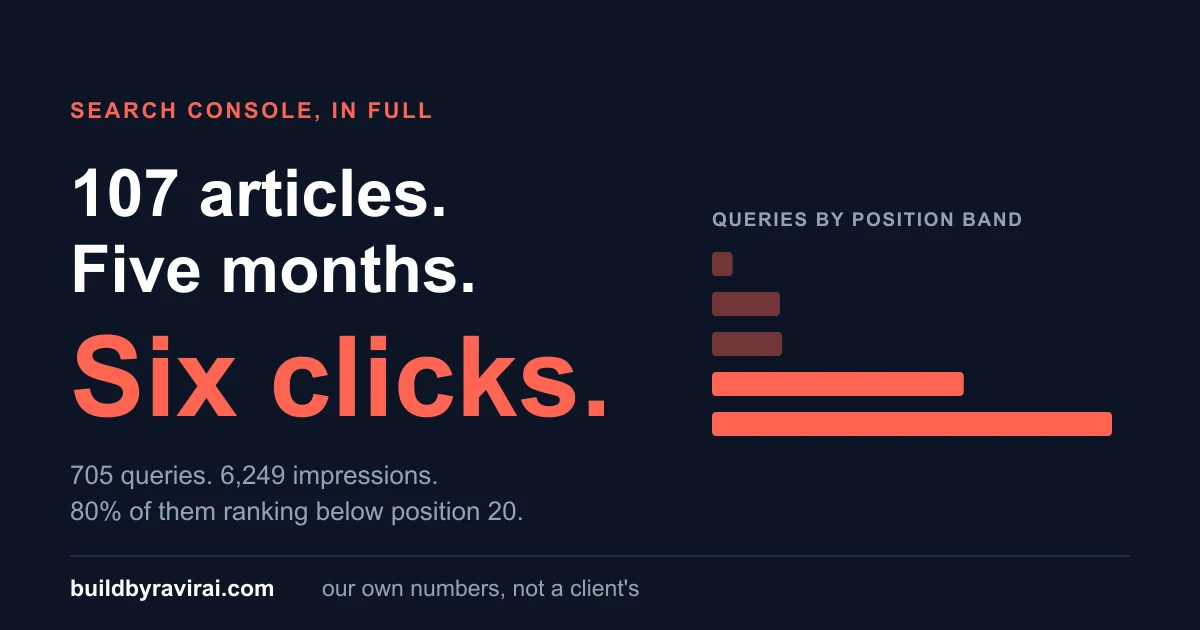
We Published Our Search Console Numbers. They Were Wrong.
We said six clicks in 90 days. The real figure is 149. Here is the Search Console trap that produced the error, and what our numbers actually are.
Google Business Profile Suspended? How to Get It Back (2026)
Your Google Business Profile was suspended and the calls stopped. What the message means, what to fix first, and the appeal that gets it back.
Your Website Is Not Showing on Google: How to Find Out Why (2026)
You paid for a website, you search your own business name, and nothing comes up. Here is the ten-minute diagnosis that tells you whether Google has never seen your site, has seen it and refused it, or has it indexed and simply ranks it below everyone else. Three different problems, three different fixes, and only one of them costs money.
How to Rank #1 on Google Maps for Your City in 2026: The Local SEO Playbook for Indian Businesses
When someone searches "[your service] near me" or "[your service] in [your city]", do you show up in the top 3 on the map? Or are you invisible to a customer who's ready to buy right now? Ranking in the Google Maps 'map pack' is more achievable than you think, and most of your local competitors haven't done the basics. This is the step-by-step playbook.
Selling on ONDC in 2026: The Honest Maths Before You List (Fees, Real Order Volumes, and Who It Works For)
ONDC charges no commission, and that is where most sellers stop reading. Here is the real bill on one order, the volumes that went down when subsidies did, and the three kinds of business it genuinely works for.